Select the bar chart icon in the left rail to open Reporting. The page has four sections, and each answers one question.
The screenshots show one week of data from before go-live. The examples in the tables use its numbers.

Set the range and entity

Two controls at the top apply to the whole page.
  • RANGE: Today, 7d, 30d, or Custom dates.
  • ENTITY: All, or one entity: SG, MY, HK, ID, PH or other.
Cards marked vs prior period compare the range you picked with the period of the same length just before it. For example, 7d compares the last seven days with the seven days before. A change for the better shows in green, and one for the worse in red.
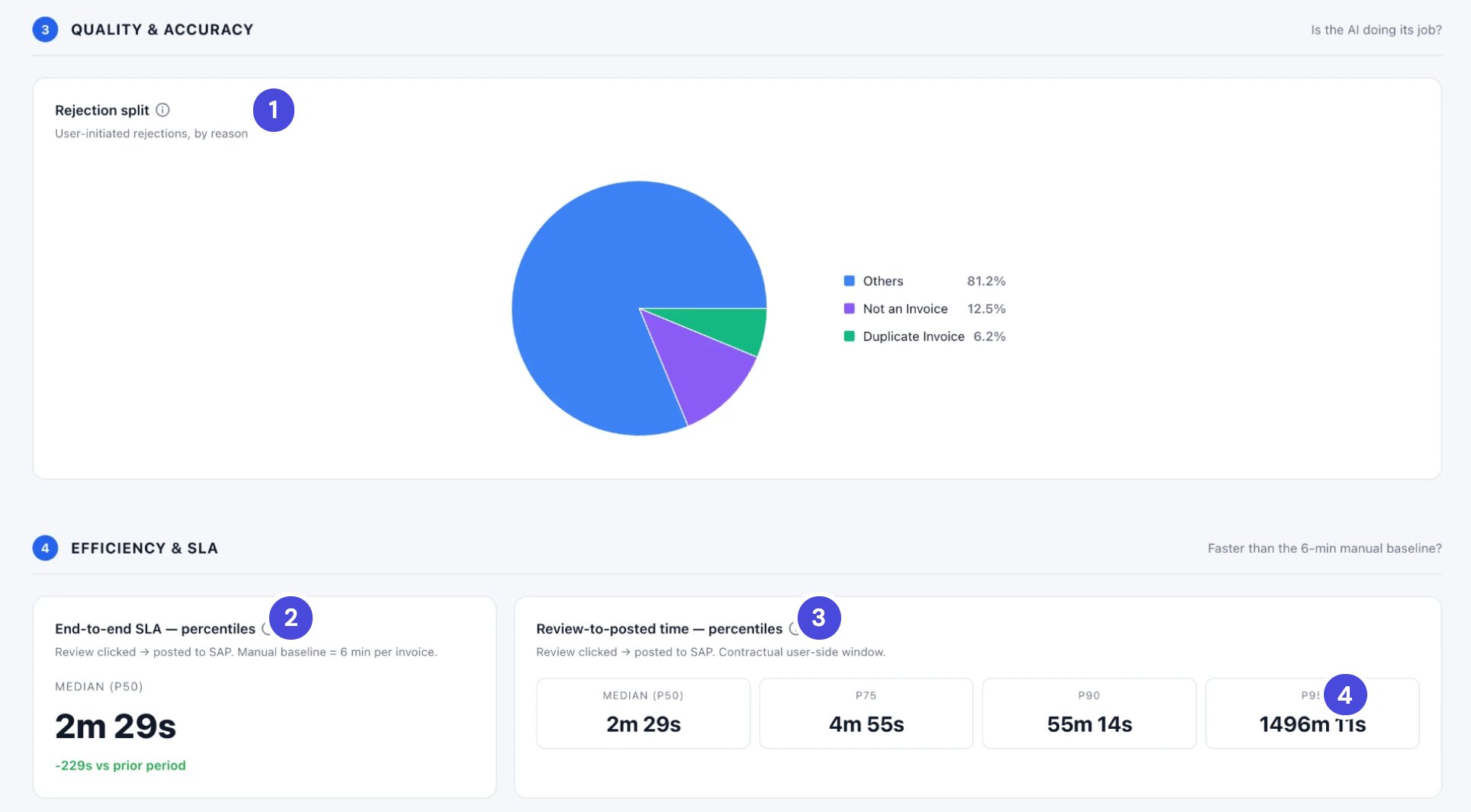
Reading p50 and p95. Time metrics are shown as percentiles, not averages. p50, the median, is the middle invoice: half took less time, half took more. p95 shows the slow end: 95 in every 100 invoices took less time. A low p50 with a high p95 means most invoices are quick but a few take much longer.
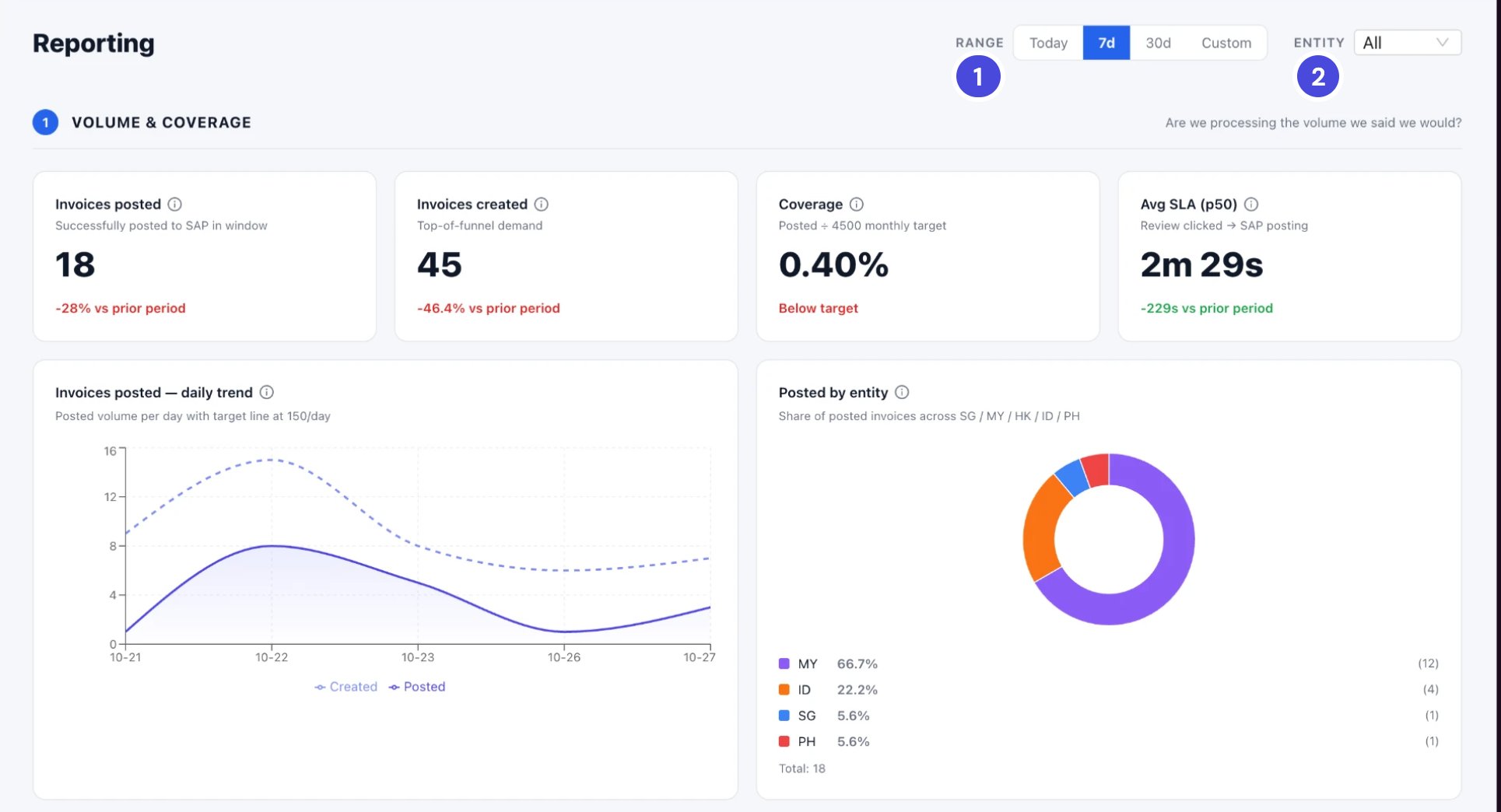
Volume and Coverage for seven days: 18 invoices posted, 45 created, coverage 0.40 percent, median SLA 2 minutes 29 seconds, a daily trend of created and posted invoices, and posted invoices by entity

A week of data: 45 invoices created and 18 posted. 18 against the monthly target of 4,500 is a coverage of 0.40%.

1RANGE
2ENTITY

1 Volume & Coverage
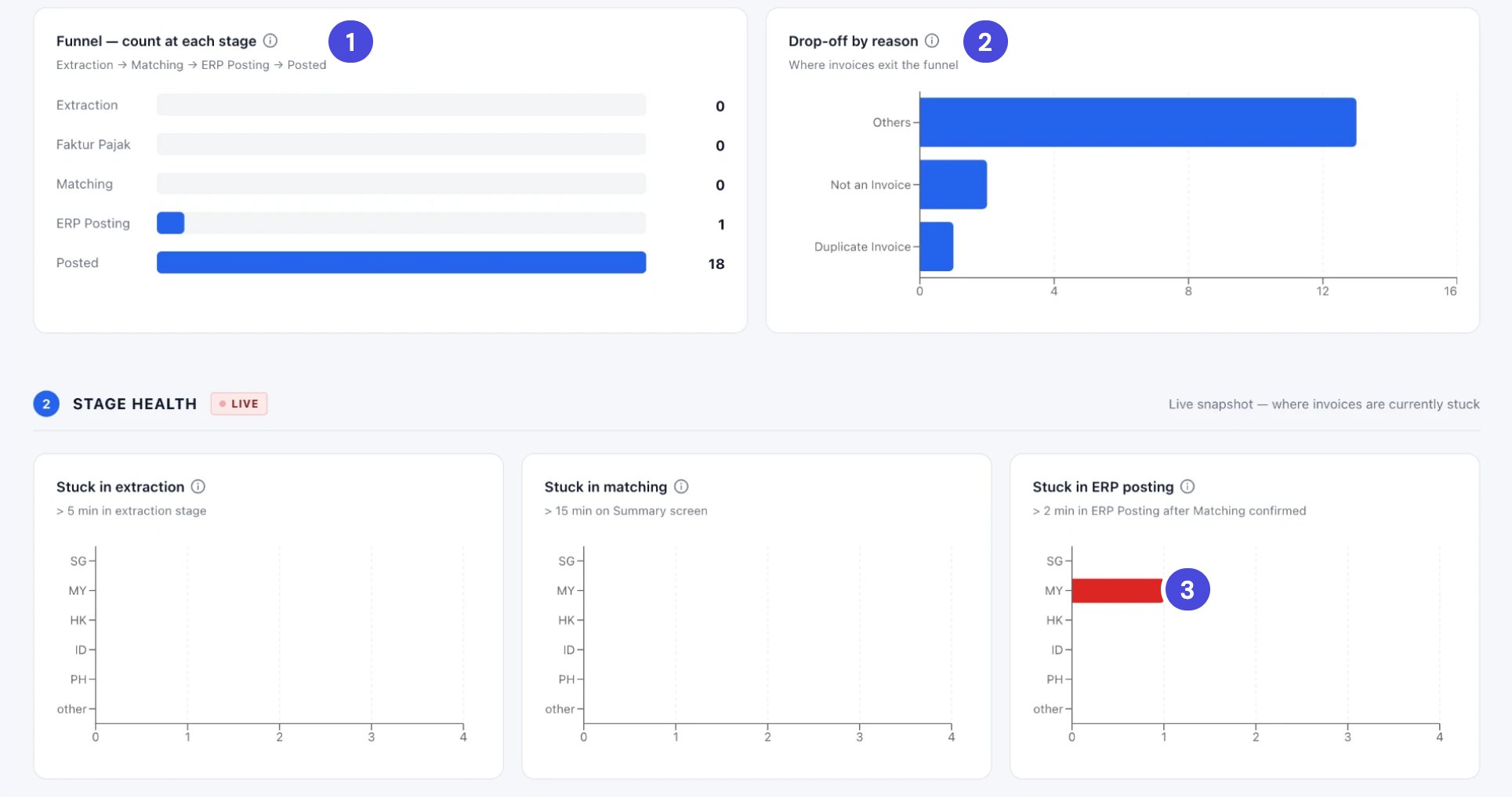
The funnel, with 1 invoice at ERP Posting and 18 posted. Drop-off by reason, with Others, Not an Invoice and Duplicate Invoice. Stage Health, with one invoice in MY stuck in ERP posting

The same week. The invoice waiting at ERP Posting in the funnel is the one Stage Health shows stuck, in MY.

1Funnel
2Drop-off by reason
3One invoice stuck in ERP posting, in MY

2 Stage Health

Stage Health is marked LIVE. It shows invoices that are stuck right now, counted by entity. It’s the place to start each morning.
To work through stuck invoices, open the Invoice Dashboard and filter by Status.

3 Quality & Accuracy

Rejection split by reason: Others 81.2 percent, Not an Invoice 12.5 percent, Duplicate Invoice 6.2 percent. Below it, the end-to-end SLA median of 2 minutes 29 seconds and review-to-posted percentiles from 2 minutes 29 seconds at p50 to 1,496 minutes at p95

Rejection split, and the first two Efficiency & SLA cards, for the same week.

1Rejection split
2End-to-end SLA
3Review-to-posted time
4p95

4 Efficiency & SLA
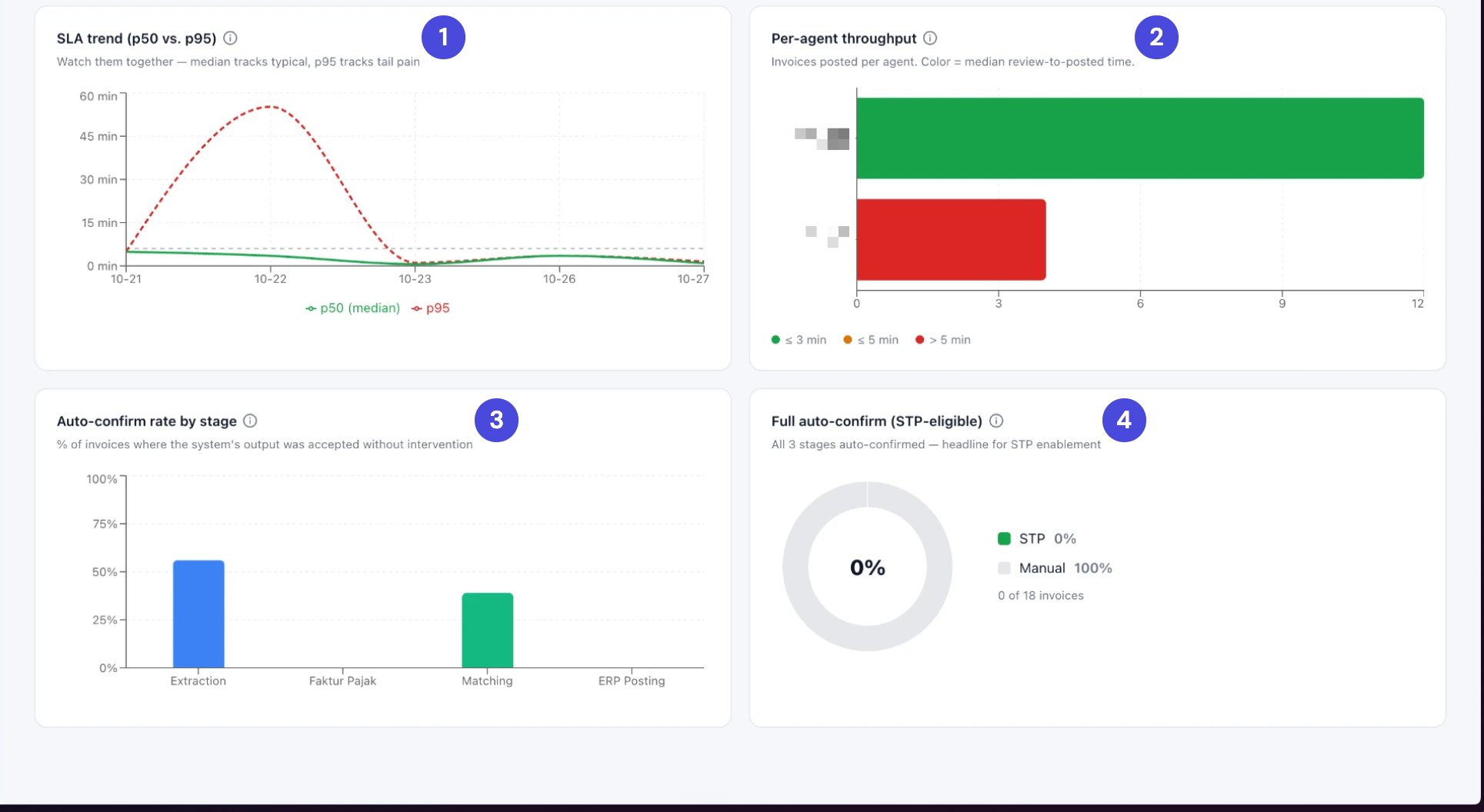
SLA trend with a p95 spike near 55 minutes on 22 October, per-agent throughput with two agents, auto-confirm rate by stage with Extraction near 55 percent and Matching near 38 percent, and full auto-confirm at 0 of 18 invoices

The rest of Efficiency & SLA. Agents' names are hidden in this guide.

1SLA trend
2Per-agent throughput
3Auto-confirm rate by stage
4Full auto-confirm