

Before you begin
- You need the Org Admin role to invite people. Workspace Admins can change roles in their own workspace. See Roles and what each can do.
- Have each person’s work email address ready.
Invite a person
1
Select People in the left rail.
2
Select Invite Users.
3
In Emails, enter one or more work email addresses.
4
To make them an Org Admin, select the Org Admin check box.
5
In Role, choose their role for the workspace: Workspace Admin or AP Agent.
6
Select Send Invite.
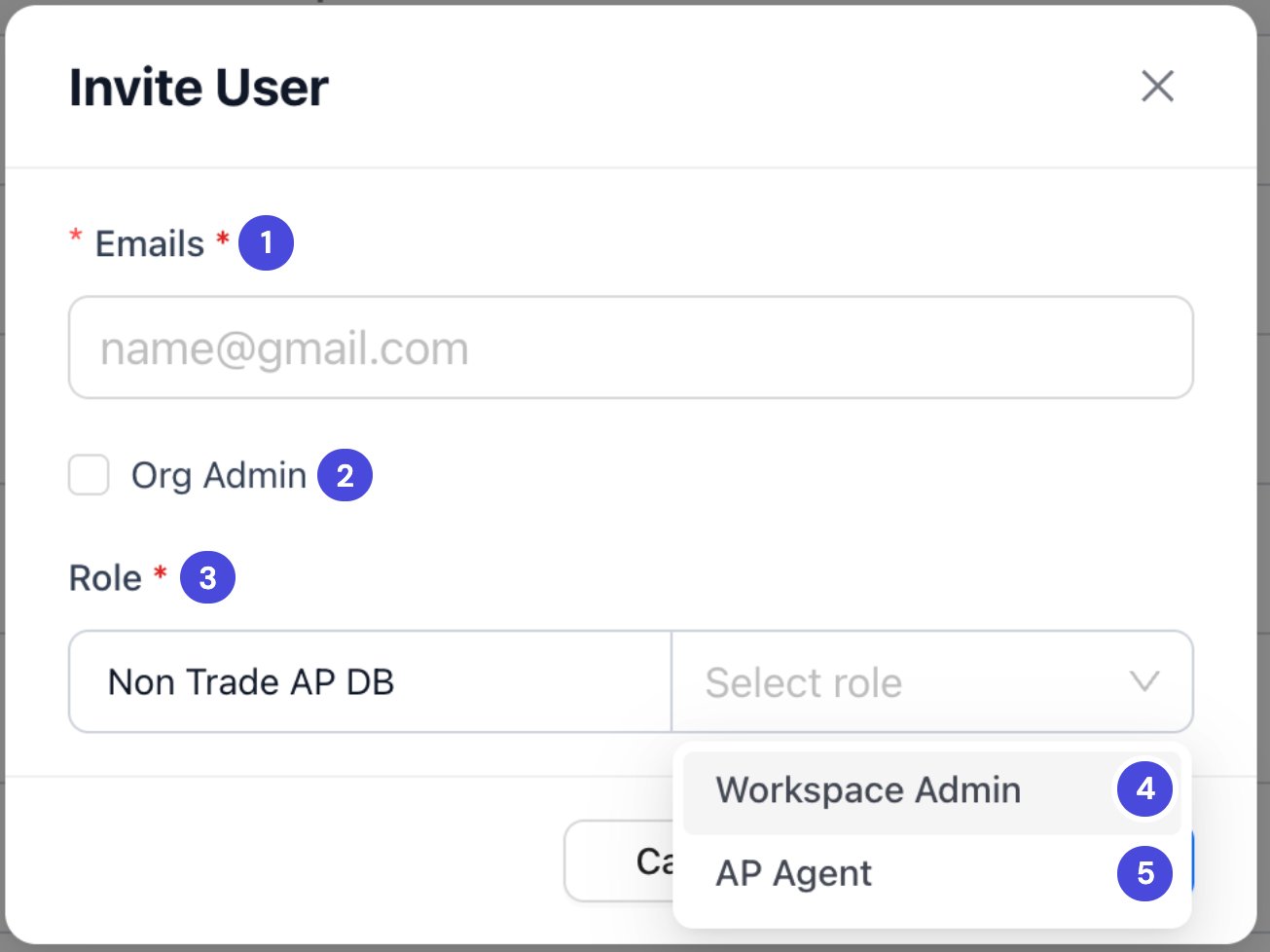
Invite User, with the Role list open.
1Emails
2Org Admin
3Role, for the workspace shown
4Workspace Admin
5AP Agent
What happens nextNeoflo emails each person an invitation. It works once and expires after 30 days. Until they accept, they’re listed under the Pending Invites tab. When they sign in, they move to All Users.
Find a person
The People page lists everyone with access: their name and email, their workspace and role, when they were last active, and their status. Use Search Users to find someone by name or email, or Filters to narrow the list.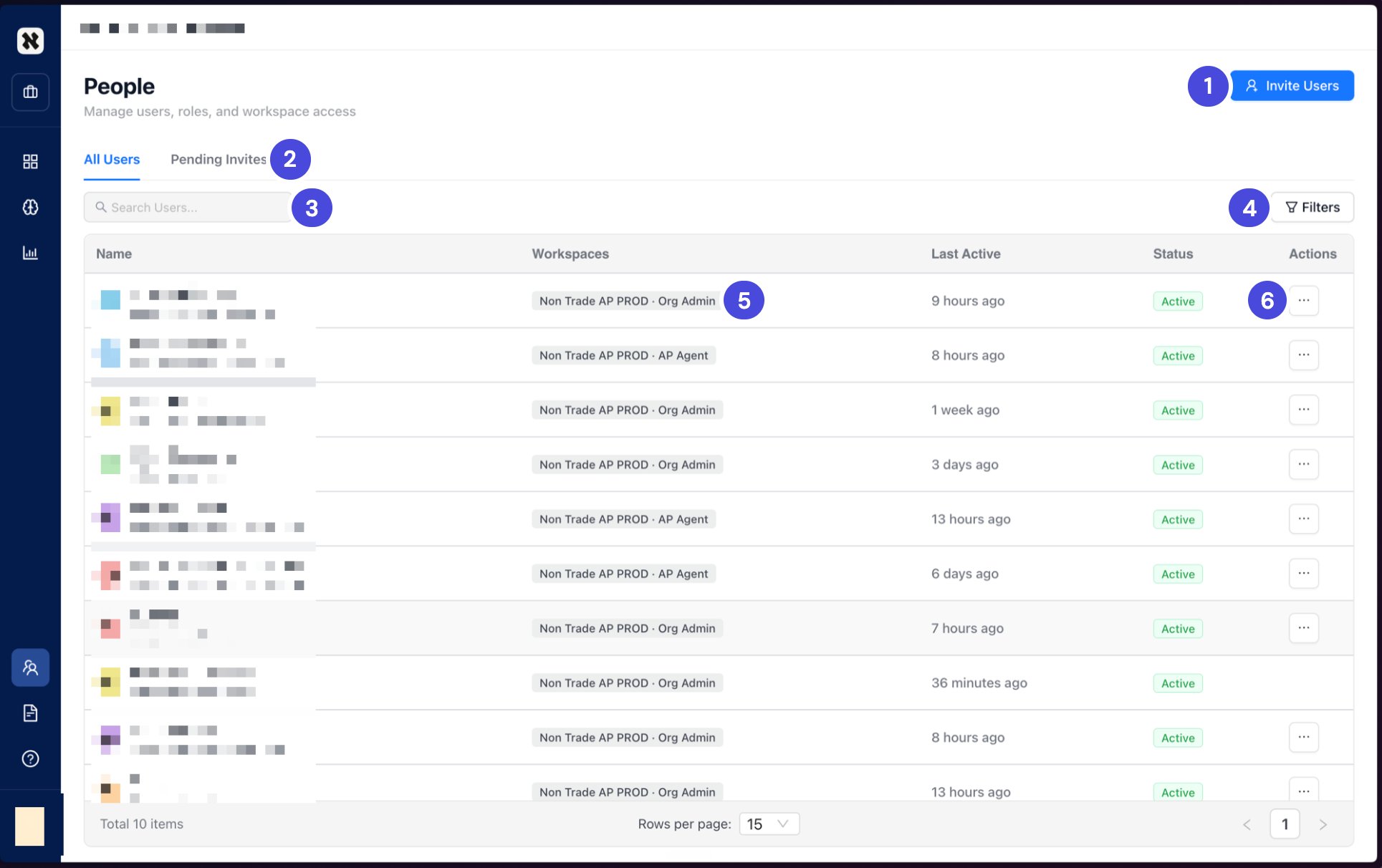
The People page. Each person's workspace and role show together, such as Non Trade AP PROD · AP Agent. Names and emails are hidden in this guide.
1Invite Users
2All Users and Pending Invites
3Search Users
4Filters
5Workspace and role
6The ⋯ menu
Change a person’s role
1
On People, find the person.
2
Select ⋯ in their Actions column, and choose to edit their role.
3
In Edit Role, make the change, then select Save Changes.
Remove or restore access
Each of these is in the ⋯ menu on the person’s row.Check your understanding
1. A new colleague's invitation link has stopped working. What happened, and what do you do?
1. A new colleague's invitation link has stopped working. What happened, and what do you do?
It expired after 30 days, or it was already used. Send a new invitation.
2. Someone is on leave for a month. Should you deactivate or delete them?
2. Someone is on leave for a month. Should you deactivate or delete them?
Deactivate. It’s instant and you can reverse it. Deleting can’t be undone.